Data model
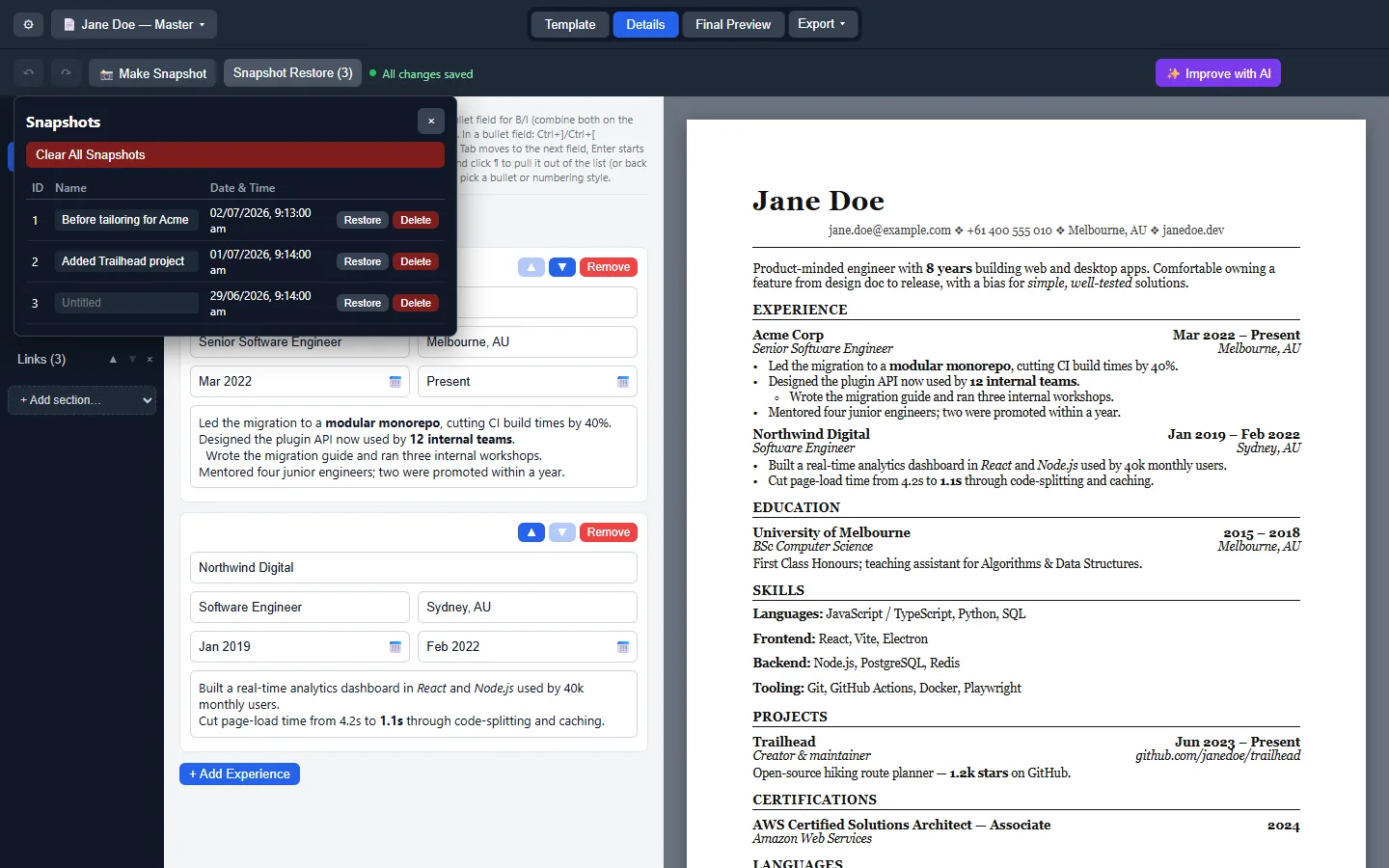
document profiles autosave locally. File → Save As writes JSON you can copy. Named snapshots restore earlier drafts. That design reduces cloud leakage compared with browser resume makers that require accounts.
Signing and OS warnings
Unsigned Windows and macOS builds mean SmartScreen and Gatekeeper will warn. Treat those prompts as a reminder to verify the download door, not as a reason to fetch a random mirror. Linux AppImage trust is similarly about the Releases URL you used.
What we verified
Winget id AbhisekkumarShandilya.OpenResumeBuilder resolves in microsoft/winget-pkgs. Brew/snap/Flatpak were not found. Real-machine install behaviour remains UNVERIFIED in research.
Practical hardening
Use a dedicated documents folder, keep JSON backups offline, and avoid pasting secrets into custom resume sections. Uninstall unknown resume builders before installing this one.
Security tab: GitHub security. Download habits: /resume-download-safe.
Why a local desktop client helps
A local desktop builder keeps drafts on disk you control. You are not waiting on a design login to fix a typo before a midnight deadline. OpenResume Builder adds profiles, snapshots, and PDF plus plain-text export so the same content can feed both human readers and ATS portals.
Desk checklist after install
Write the download URL, the filename, and the JSON backup folder on a sticky note or inventory card. Prove one PDF PDF export before you invite classmates or coworkers to use the same machine image. Keep Canva or Word only as reference surfaces once the local profile works.
What this guide will not invent
No Homebrew cask, snap, or Flatpak id was found for this project on the review date. Commands we could not run on real hardware stay marked UNVERIFIED in research. Prefer GitHub Releases filenames you can see with your own eyes.
Related reading
- Home overview
- Releases file map
- GitHub project map
- Download safely
- For this computer
- Installed checklist
- Switch from Canva
- vs Word
Hiring-season rhythm
During busy application weeks, duplicate a known-good document profile instead of editing the master for every employer. Export PDF for humans and plain text for portals that strip design. Take a snapshot before risky rewrites so you can restore yesterday’s version without digging through email drafts.
Integrity habits
Refuse Setup files delivered over chat without a Releases URL. Refuse “update helpers” that are not winget or the official Releases list. Refuse brew commands copied from unrelated apps. Integrity is mostly boredom: same door, same proof export, same backup folder.
Extended practice block
Treat every PDF export like a release: date it, store it, and keep the JSON source beside it. When a recruiter asks for a small wording change, duplicate the profile first so the master profile stays clean. When a portal eats your PDF, submit the plain-text twin from the same day instead of redesigning under panic.
Career centers should keep a laminated card with the Releases URL, the winget id, and the note that brew was not found. Students then stop inventing package commands during workshops. Helpdesk volunteers should ask for the filename before they ask for screenshots of error dialogs.
If you maintain lab images, re-check the live Releases list whenever you refresh the semester image. Asset names can gain portable builds or drop architectures. Update the printed handout the same day you update the image. Paths marked UNVERIFIED in research should be tested on staff hardware before you promise them to a full classroom.
Travel weeks benefit from Portable Windows exe plus a cloud folder that only syncs JSON backups, not random Setup downloads from search. Home desktops benefit from Setup plus winget for cleaner uninstalls. Linux desks benefit from a single AppImage path with chmod documented in the home README.
Finally, remember the category word: you came here for a application workflow you can install and trust. OpenResume Builder is the MIT client mapped by this guide. Canva, Word, Docs, and LinkedIn remain useful neighbors, not alternate download portals for this binary.
Frequently asked questions
Does it upload my resume?
Upstream documents local autosave per profile with nothing uploaded by design. You should still keep JSON backups on storage you trust and avoid pasting secrets into custom sections. Treat optional update checks as network use, not as cloud document sync for your drafts.
Why unsigned builds?
Windows SmartScreen and macOS Gatekeeper warnings are expected for unsigned builds per the wiki. Confirm the Releases or winget door before you proceed. Those prompts are not permission to fetch the same filename from a random mirror that ranks for the head term.
Any audits?
No published third-party audit was found on the review date. Review the MIT source tree and the GitHub security tab, prefer official Releases assets, and keep JSON backups offline. Absence of an audit is a fact to weigh, not a reason to invent marketing claims.