Switch from Canva to a local resume
Moving a document out of Canva means exporting reference files, installing OpenResume Builder from GitHub Releases or winget, and re-entering your content into a local profile. There is no one-click Canva importer, so plan a careful rebuild rather than a magic migration.
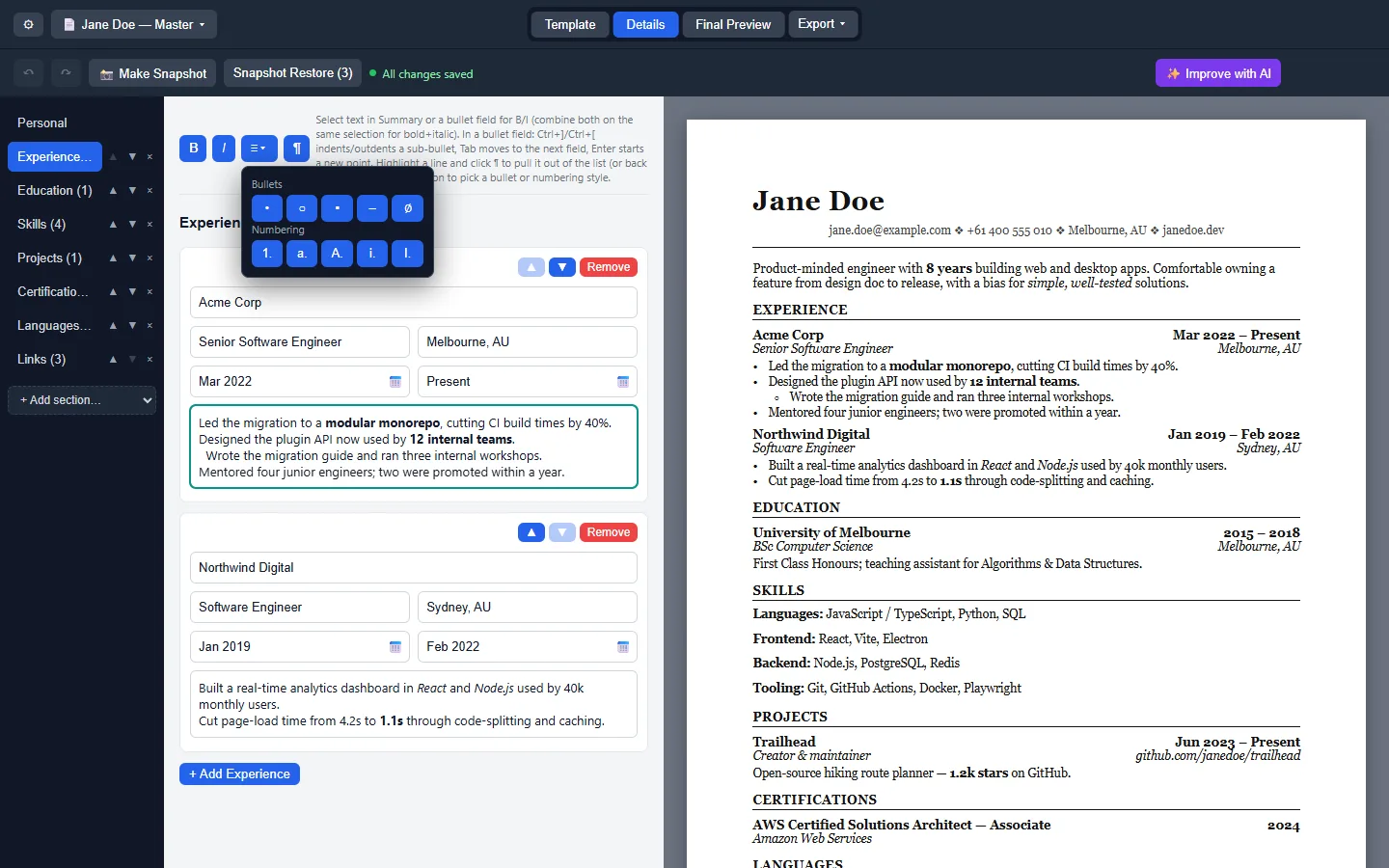
What transfers and what does not
| Item | Transfers? | How |
|---|---|---|
| Job titles, dates, bullets | Manually | Copy from Canva PDF/DOCX into Experience entries |
| Canva brand kit graphics | No | Recreate with template choice, not artboards |
| Fonts unique to Canva Pro | No | Use Classic / Modern / Resumatic |
| Comments and versions in Canva | No | Use snapshots and JSON backups locally |
Migration steps
- Export from Canva for reference. Download PDF and DOCX copies of your Canva resume so you can read dates and bullets while you rebuild.
- Install OpenResume Builder. Take Setup or winget on Windows, or the matching dmg/AppImage. Confirm the GitHub Releases URL first.
- Create a new local profile. Name the profile after the role you want, not after Canva. Keep Canva open only as a reference window.
- Re-enter Experience and Education. Paste text carefully. Canva layout layers do not import. Rebuild bullets with the WYSIWYG list tools.
- Pick Classic, Modern, or Resumatic. Choose a template that fits the job family. Do not chase pixel parity with Canva artboards.
- Export PDF and plain text. Prove both. Keep plain text for ATS portals that reject designed PDFs.
- Save JSON and a snapshot. File → Save As plus a named snapshot before you delete anything in Canva.
- Keep Canva as optional fallback. Only if you still need design-heavy one-pagers. The local resume profile is now the source of truth.
Why people leave Canva for a desk client
Canva wins when you need collaborative design and already pay for Pro. A local desktop client wins when you want offline edits, MIT source, and exports that do not depend on a design login. If hiring portals choke on heavily designed PDFs, plain-text export from OpenResume Builder is the practical fix.
Comparison context also includes Word: vs Word resume. Install doors: for this computer.
Rebuild tips that save time
- Start with one role-specific document profile, then Duplicate for the next application.
- Paste plain text first; add bold and lists after the content is complete.
- Keep the Canva PDF beside you for spelling of employer names, not for layout cloning.
- Export ATS plain text and skim it before you submit anywhere.
Profiles and templates: profiles and templates. Export formats: export PDF Word text. ATS focus: ATS plain text.
Google Docs and LinkedIn side paths
If your draft lives in Google Docs, download DOCX and use the same re-enter method. If you only have a LinkedIn PDF, treat it as reference text. Neither source becomes structured OpenResume Builder data automatically.
Do not upload your new JSON backups to random “resume sync” websites. Keep them in a folder you already back up.
When to keep Canva anyway
Portfolio-heavy creative roles may still want Canva one-pagers. Keep that as a separate artifact. For most software, ops, and general professional applications, the local document profile plus PDF/plain text is enough.
Safe download reminder: download safely. First hour: installed.
Workshop and helpdesk checklist
Before a document workshop, verify the Releases tag still ships the Setup exe, arm64 dmg, x64 dmg, and AppImage you plan to teach. Print the filenames on the handout. Tell attendees that winget is optional and that brew was not found, so nobody wastes time inventing package ids during the session.
Helpdesk tickets should ask for the download URL, the filename, and whether SmartScreen or Gatekeeper appeared. Those three facts separate a real install problem from an adware mirror. Keep a sample PDF PDF export on the helpdesk share so volunteers know what success looks like.
When policy blocks executables, document the exception path or keep Word available. Do not coach students to disable OS security wholesale just to finish a document. Prefer a supervised lab image where OpenResume Builder is already approved.
After the workshop, collect which door each attendee used — Setup, Portable, winget, dmg, or AppImage — so the next session materials stay honest about what worked on real hardware. Paths marked UNVERIFIED in research should be tested on a staff laptop before you promise them to a room.